Grasp Planner Example
In this part of the tutorial we will reference the scene that we have generated in the Workcell Builder Example
If you currently do not have a working perception system, you can still test out the package using a rosbag located in /workcell_ws/src/easy_manipulation_deployment/grasp_planner/rosbag/perception_simulator.zip
The perception rosbag is an simple box as shown below.
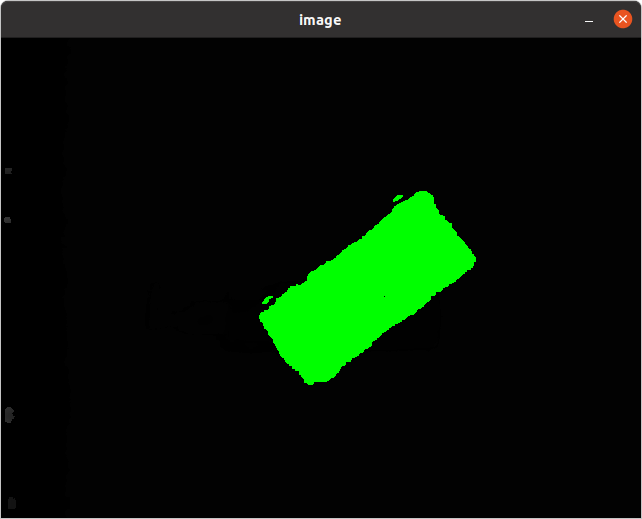
Unzip Perception Rosbag
Before starting, if you are planning to use the perception simulator to test out this package, first unzip the folder in the /grasp_planner/rosbag/ folder.
sudo apt-get install unzip

unzip ~/workcell_ws/src/easy_manipulation_deployment/grasp_planner/rosbag/perception_simulator.zip -d ~/workcell_ws/src/easy_manipulation_deployment/grasp_planner/rosbag/
Set up end effector parameters
The end effector we are currently using is the Robotiq 2F-85 gripper, thus we need to set the configuration files before running the grasp planner. In the configuration file /workcell_ws/src/easy_manipulation_deployment/grasp_planner/config/attributes.yaml , replace the contents with the following:
end_effector:
  type: finger
  attributes:
    fingers: 2
    distance_between_fingers: 100
    longest_gripper_dim: 25
    table_height: 450
parameters:
  min_zero_angle: 0.01
  min_height_diff_to_grip: 5
  min_gdi_diff_for_comparison: 5
note that the parameters like table_height is specific to this current ROSbag, and should be changed accordingly for your own set up. more information about the other parameters, check out Grasp Planner Configuration
Running the grasp planner
For this part of the example you need 2 terminals.
In Terminal 1:
cd ~/workcell_ws

source /opt/ros/foxy/setup.bash

colcon build

source install/setup.bash

ros2 run grasp_planning grasp_planning_node
You should then see the output in terminal 1:
[easy_manipulation_deployment][Grasp Planner] Waiting for topic....
In Terminal 2:
cd ~/workcell_ws

source /opt/ros/foxy/setup.bash

colcon build

source install/setup.bash

ros2 bag play src/easy_manipulation_deployment/grasp_planner/rosbag/perception_simulator/perception_simulator/perception_simulator.db3
You should then see the output in terminal 2:
[INFO] [1610531624.795616932] [rosbag2_storage]: Opened database 'src/easy_manipulation_deployment/grasp_planner/rosbag/perception_simulator/perception_simulator/perception_simulator.db3' for READ_ONLY.
In Terminal 1, you should then see the following
[easy_manipulation_deployment][Grasp Planner] Objects Detected!
[easy_manipulation_deployment][Grasp Planner] Gripper Type Detected: finger
If a valid grasp is found, the grasp planner will also show the grasp quality of the grasp selected
[easy_manipulation_deployment][Grasp Planner] Best Grasp found! GDI Score: 2941
The grasp planner will now be publishing the grasp poses for the object to be used in the grasp_execution stage of the manipulation pipeline.
Next we will look at how to visually check these grasp poses before running the grasp execution: Grasp Validator Example